
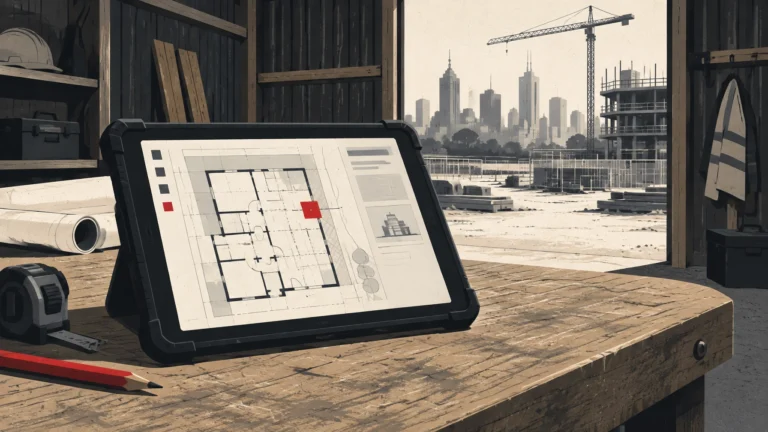
IT support for construction companies keeps your office and your sites working together: devices, internet, Microsoft 365, project software, backups and cyber security. It has to cover the way builders actually work, from a tablet in a site shed to an estimator at head office, not just fix computers when someone logs a ticket.
Why IT support for builders is different from office IT
Your team may be split between an office, several active sites and home. Some staff rarely come to the office at all. A generic office-only support model can leave the people doing the work without help when they need it.
A site shed is a working environment, not a small branch office. Devices get moved around, exposed to dust and weather, and used by people who need plans and project information quickly. The connection may rely on NBN, 4G or a combination. When the site internet drops during a pour, the fallback matters.
Staff and subcontractors also change from project to project. Access needs to be set up for the right people and removed when it is no longer needed. And the technology needs to work across site tablets, office computers and phones, not just the devices sitting in front of your IT provider.
That is why IT support for construction companies needs a provider who understands site connectivity, mobile devices, project software and the handover between site and office. MTR IT provides construction IT support across Melbourne and Australia Manny Rahat.

The real construction IT problems aren’t theoretical
They are the moments that stop work or create avoidable risk.
- The site tablet has the wrong plan set. Someone is looking at rev B when a newer drawing is available. Your team needs a reliable way to keep plans current and make sure site staff can get to the right files.
- The site shed goes offline mid-pour. The team needs a connection that suits the location, plus a practical backup such as 4G failover where appropriate.
- A supplier email asks to change bank details. It looks convincing, but the message may be fraudulent or come from a compromised account. A clear verification process can help stop invoice fraud before money leaves your account.
- A new starter needs everything by Monday. Their laptop, phone, email, Microsoft 365 access and software permissions should be ready for their first day.
- Plan files are too large to open over a hotspot. Your IT team should help find a workable way to access and share project files, rather than leaving someone to struggle with a slow connection.
Good IT support helps reduce these interruptions. It also makes sure your people know who to call when an issue can’t wait.
What should IT support for construction companies actually cover?
When you assess IT support for builders, ask prospective providers these questions. Ask for clear answers about what is included and who responds when something goes wrong.
- Will someone answer when we call? Ask whether you’ll speak to a real person or submit a ticket and wait. MTR IT’s helpdesk is live-answer and never outsourced.
- Do you monitor and patch our systems around the clock? Find out what is monitored, how patching is managed and how you’ll hear about issues that need your attention.
- Who manages Microsoft 365? Your provider should handle user accounts, email, permissions and the everyday admin that keeps your team connected.
- How do you onboard and offboard staff? Ask how they prepare a new starter’s devices and access, and how they remove access when someone leaves or changes roles.
- Can you show us how backups are restored? “We take backups” is not enough. Ask what is backed up, how often and how recovery works if files or systems are lost.
- What does your cyber security cover? Ask about the protections in place, how risks are communicated and what help you’ll get if you suspect an attack or scam.
- Can you visit our Melbourne sites? Remote help is useful, but some problems need someone onsite. Check what onsite support is available and how it is arranged.
Your provider should already know the software you run
Your IT provider doesn’t need to replace the software companies that make your business tools. But it should be able to help with everyday access and device issues, coordinate with those vendors and understand how the tools fit into your work.
That includes Procore support, Buildxact, Breadcrumb, Microvellum, Revit, Xero and 3CX, as well as Microsoft 365. Your IT team should already recognise these tools, not have to start by googling what they are when your estimator’s laptop or site tablet has a problem.
The question to ask is practical: can the provider help your people get onto the software, keep devices and access working, and work with the software vendor when an issue needs specialist support? For product-specific implementation, training or integrations, clarify what is included and who is responsible. Procore's own professional services, for example, cover specialist implementation and related services.
Construction cyber security: prepare for tenders and payment checks
Construction cyber security is not just about stopping a technical attack. Your business handles email, project information and supplier payments, and a convincing message asking to change bank details can create a costly mistake. Build a process that requires staff to verify a payment change using a known contact method, not simply reply to the email or use the phone number in it.
Tender and supplier paperwork can also ask what cyber controls your business has in place. SMB1001 Silver is a starting point for builders: MTR IT’s construction guidance describes it as 17 controls, including MFA on all email, a password manager, no shared logins, SPF email protection and an invoice-fraud check for bank changes.
Cyber insurance may also ask questions about how your business protects systems and data. The details depend on the insurer and policy, so check what your own cover requires. Keeping your controls and evidence organised makes it easier to answer these questions clearly.
A free SMB1001 gap check shows where your current setup stands and what may need attention.
What does IT support for a building company cost?
MTR IT’s published pricing is per user, per month, ex GST, with a 24-month minimum:
- Essentials: $89 per user/month
- Managed: $139 per user/month
- Secure: $179 per user/month
For a 15-person builder, that works out to $1,335/month on Essentials, $2,085/month on Managed, or $2,685/month on Secure, ex GST. These examples assume 15 billable users; confirm how your provider counts users, devices and other services.
Essentials includes a live-answer helpdesk, 24/7 monitoring and patching, Microsoft 365 admin and remote support. Managed adds onsite support across Melbourne, backup and recovery, and SMB1001 Silver readiness. Secure adds EDR on every device, SMB1001 Gold readiness and an insurer evidence pack.
For comparison, employing an in-house IT manager can mean a salary of $150,000 or more a year, plus super. That is not a like-for-like comparison: an internal employee and a managed service have different scopes, and you should compare what each option actually covers.

Switching IT providers doesn’t need to be complicated
A straightforward switch starts with a 30-minute discovery call to understand your sites, team and current IT setup. Next comes a free IT and cyber review to identify gaps and discuss what needs to change. If you decide to move ahead, MTR IT deals with your old provider and manages the switch-over.
Your team should know what is changing, when it is happening and who to contact during the transition. The aim is a clear handover, not another technology project for your staff to manage.
Talk to an IT team that understands construction
If you’re reviewing your current provider or buying IT support for the first time, book a 30-minute discovery call, or call 03 9087 4390 and get a real person. Not sure what a fair price looks like? Read our free guide on what good IT support should cost.